📊
Real-Time Dashboard
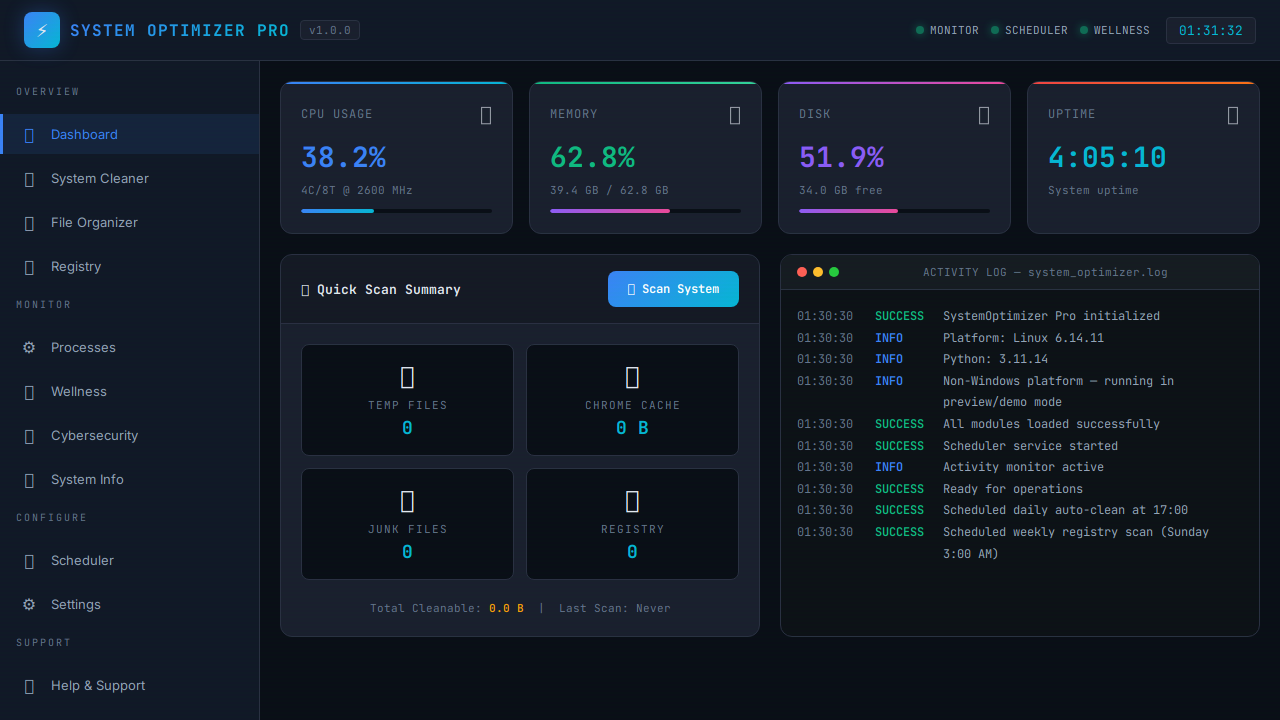
Live CPU, memory, and disk usage with animated progress bars. Top 5 processes by resource use, system uptime, and quick scan summaries at a glance.
CPU
Memory
Disk
Live
🧹
System Cleaner
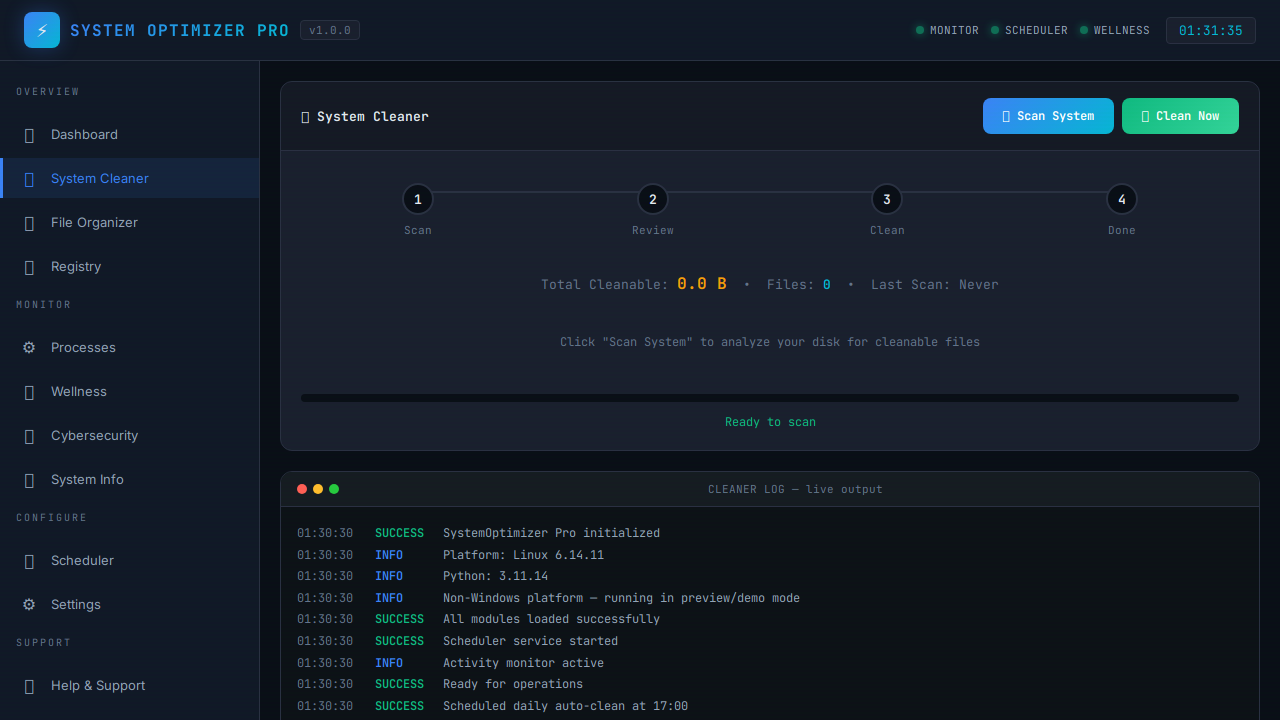
Scan and remove temp files, browser caches, thumbnails, error reports, and more across 13+ categories. Dry-run preview before committing — reclaim gigabytes safely.
13+ Categories
Dry Run
Deep Clean
📁
File Organizer
Detect duplicates via MD5 hashing, zero-length files, and leftover installers. Auto-sort Downloads by type or age, move screenshots, and restore with the undo log.
Duplicates
Downloads Rules
Undo
🔧
Registry Optimizer
Scan the Windows registry for invalid entries, orphaned keys, and startup bloat. Get recommendations and one-click fixes with an advanced confirmation guard.
Registry
Auto-Fix
Startup
💻
Process Monitor
Live process list sorted by CPU and memory. Manage startup items from HKCU, HKLM, and the Startup folder with enable/disable toggles and reboot controls.
Processes
Startup Items
Real-Time
💚
Wellness Monitor
40-minute break reminders with audio alerts. Night Light scheduling, screen brightness tips, and Focus Mode with a built-in Pomodoro (25 min work / 5 min break) timer.
Break Timer
Pomodoro
Night Light
🛡
Cybersecurity Scanner
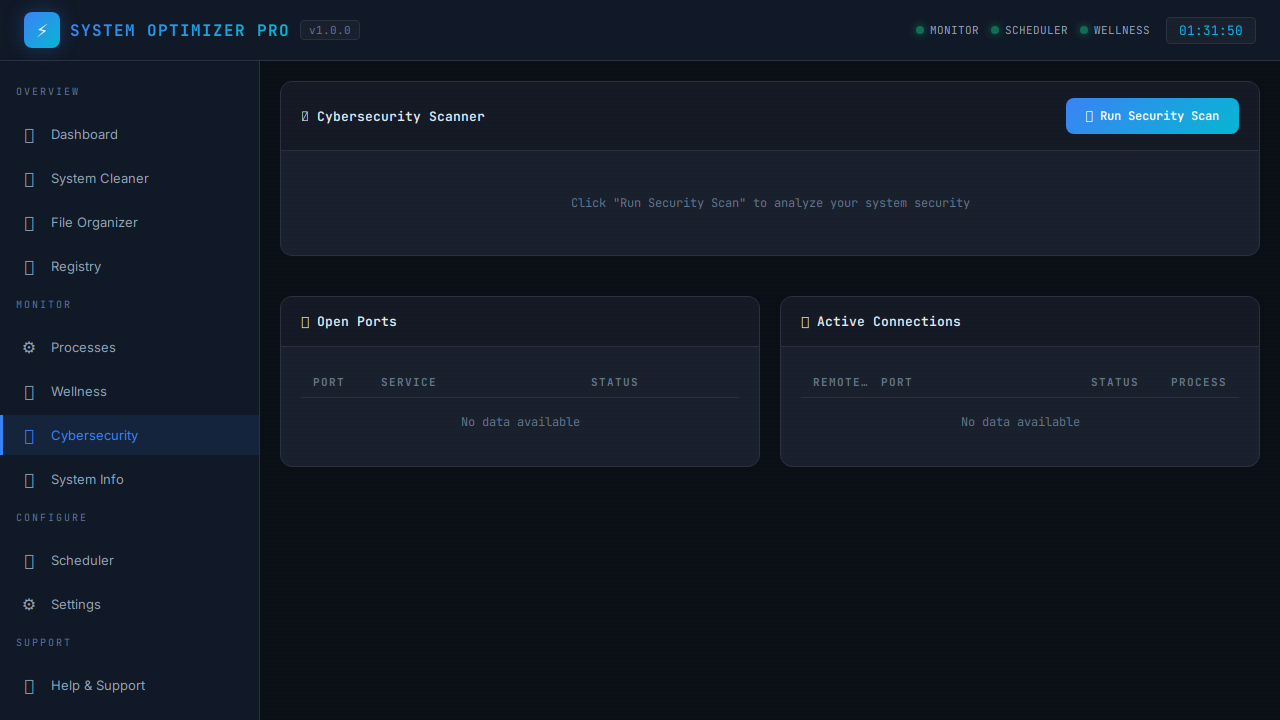
Scan 11 common ports for vulnerabilities, monitor active network connections, display your public IP, and detect open-port security risks.
Port Scan
Connections
IP
🖥️
System Information
Detailed hardware specs, RAM details with upgrade compatibility guide, motherboard info, installed software list, and deep file-type analysis.
RAM Upgrade
Hardware
Analysis
⏰
Task Scheduler
Automate daily system cleanup at 5 PM and weekly registry scans. Set it and forget it — your system stays clean on a schedule, automatically.
Daily
Weekly
Auto
⚙️
Settings Control
Toggle every cleanup category on or off. Configure break reminder intervals, scheduler timing, and all feature preferences with full persistence.
Toggles
Persist
Custom
🚀
Speed Up
Startup Manager with Impact Scoring — each program rated High / Medium / Low with Safe-to-Disable categories. Launch Visual Effects presets and Power Mode from one panel.
Impact Scoring
Power Mode
Visual Effects
📦
Large Files Finder
Scan Downloads, Desktop, Videos, and Documents for files above a custom size threshold. Preview, delete, or archive to a dedicated folder — with dry-run support.
Custom Threshold
Archive
Dry Run
🌐
Fix Internet
One-click network repair: resets Winsock, flushes DNS cache, releases and renews your IP, and resets the TCP/IP stack — with live streaming terminal output.
Winsock Reset
DNS Flush
TCP/IP Reset
❤️
System Health Score
Instant 0–100 health rating computed from CPU load, RAM pressure, disk usage, uptime, and heavy background processes. Clickable recommendations guide you to the right fix.
Score Ring
Recommendations
Auto-Refresh
📦
App & Bloat Manager
Scans your installed programs and flags likely bloatware by publisher, name, and size. Filter by "Likely Bloat" or "Large Apps", launch the uninstaller, export to CSV — fully sortable.
Bloat Detection
CSV Export
Uninstall
🔍
Deep File Scanners
Four specialist tools in one: Broken Shortcut Finder, Empty Folder Remover, Folder Size Explorer, and Desktop Wizard — all with preview and safe-delete flows.
Broken Shortcuts
Empty Folders
Folder Sizes
💡
Recommendations Engine
AI-powered system advisor that evaluates CPU, RAM, disk, uptime, and habits to surface actionable tips. Dismiss, snooze, or filter by category and priority. Exports to JSON.
Priority Scoring
Snooze
Export
🎭
Profiles & Presets
Switch between Performance, Work, Night Comfort, and Battery Saver modes instantly — or build fully custom profiles. One-click restore to previous state.
Built-in Presets
Custom Profiles
Restore
📅
Scheduled Maintenance
8 built-in recurring tasks — weekly temp scans, monthly duplicate checks, download reminders, and health scans. Add custom tasks. Full history log with export. Safe scan-only defaults.
Auto-Schedule
Run Now
History Log